Frigate itself is good software. Almost every problem I hit running it came from the layers around it: Proxmox, LXC, Docker, kernel modules, and my own YAML. None of them announced themselves clearly. Most looked like something else entirely.
This is the list I wish I’d had before starting.
The setup
For context, here’s the stack these lessons come from:
- Host: a secondhand Dell R630 running Proxmox, dual socket, plenty of RAM.
- Container: Frigate in Docker, inside a Proxmox LXC. Docker-in-LXC is common in homelabs and adds a layer of things to get wrong.
- Detector: a Hailo-8 AI accelerator, pulled from a Raspberry Pi AI Kit, on PCIe.
- Decode: an NVIDIA Tesla P4 handling video decode (NVDEC).
- Cameras: five Annke/Hikvision turrets and a Reolink doorbell, on their own VLAN with no internet access.
- Storage: recordings on a separate ZFS pool, bind-mounted into the container.
If your setup is a Pi or a bare-metal mini PC, some of this won’t apply. If it’s anything with “LXC” in it, most of it will.
1. The Hailo device that keeps changing its number
The standard advice for passing a device into an LXC is two lines in the container’s config: an lxc.cgroup2.devices.allow rule for the device’s major number, and an lxc.mount.entry for the device node.
That works until the major number changes. On my host, /dev/hailo0 moved between 239, 511, 239 and 238 across kernel updates and module reloads, even with DKMS rebuilding the driver correctly each time. Every change meant Frigate restart-looping on a Hailo permission error after a routine reboot.
The fix is to stop caring about the major number. Proxmox has native device passthrough:
pct set 101 -dev5 /dev/hailo0,mode=0666Code language: JavaScript (javascript)Then delete the old lxc.mount.entry and devices.allow lines. Proxmox handles the rest, whatever number the kernel assigns.
Two gotchas:
- Check which
devNslots are taken first. I overwrotedev0, which held/dev/nvidia0, and broke all GPU decode in one command. The error wasCUDA_ERROR_NO_DEVICE, which doesn’t point at the cause. - Stop the container before changing device entries. Hotplugging fails if the node already exists.
2. NVIDIA decode in Docker Compose
There are three ways to give a Compose service a GPU. Only one worked for me.
The --gpus flag and the newer deploy: resources: reservations: devices: syntax both failed with Cannot load libcuda.so.1 or CUDA device errors. Neither reliably requests the video capability that NVDEC needs.
What works is the older form:
runtime: nvidia
environment:
  - NVIDIA_VISIBLE_DEVICES=all
  - NVIDIA_DRIVER_CAPABILITIES=all
The Hailo also needs devices: - /dev/hailo0:/dev/hailo0 and cap_add: SYS_RAWIO alongside CAP_PERFMON.
3. The compose file you weren’t editing
My Frigate directory had both a compose.yml and a docker-compose.yml. Docker Compose prefers compose.yml when both exist, and says nothing about the other one. I spent a while editing the dead file and wondering why nothing changed.
Delete the duplicate. Then check the live file matches what’s actually running, because mine didn’t. The Hailo device mapping and several ports had been added to the running container at some point but never made it into the file. They vanished silently on the next docker compose up -d.
The ports worth checking explicitly:
5000and8971: the web UI, unauthenticated and authenticated1984: the go2rtc API8555TCP and UDP: WebRTC8554: the RTSP restream. Easy to miss, and Home Assistant’sstreamintegration connects to it directly.
4. The crash that looked like a network fault
For about a week, every camera dropped at once, repeatedly. All six ffmpeg processes logged Failed reading RTSP data: End of file within the same second, across two VLANs. That looks like a network problem. It wasn’t.
The container was out of memory. The LXC had been created with a 2 GiB limit, which was fine for three cameras on the previous Frigate version. Going to six cameras, plus 0.18’s new embeddings models, pushed it over. The host had over 100 GiB free; the container just wasn’t allowed any of it.
Why it looked like networking: under memory-cgroup pressure, the kernel throttles socket buffers. Every RTSP stream starves together, so every camera fails in the same second.
The signature to 3. The compose file you weren’t editingrecognise:
- All cameras’ ffmpeg dying within the same second
- The embeddings process, then Frigate itself, killed with signal 9
- On the host,
journalctl -kshowingoom-kill:constraint=CONSTRAINT_MEMCGnaming your container
The fix applies live, no restart needed:
pct set 101 -memory 8192 -swap 2048
pct set 101 -cores 8Code language: JavaScript (javascript)
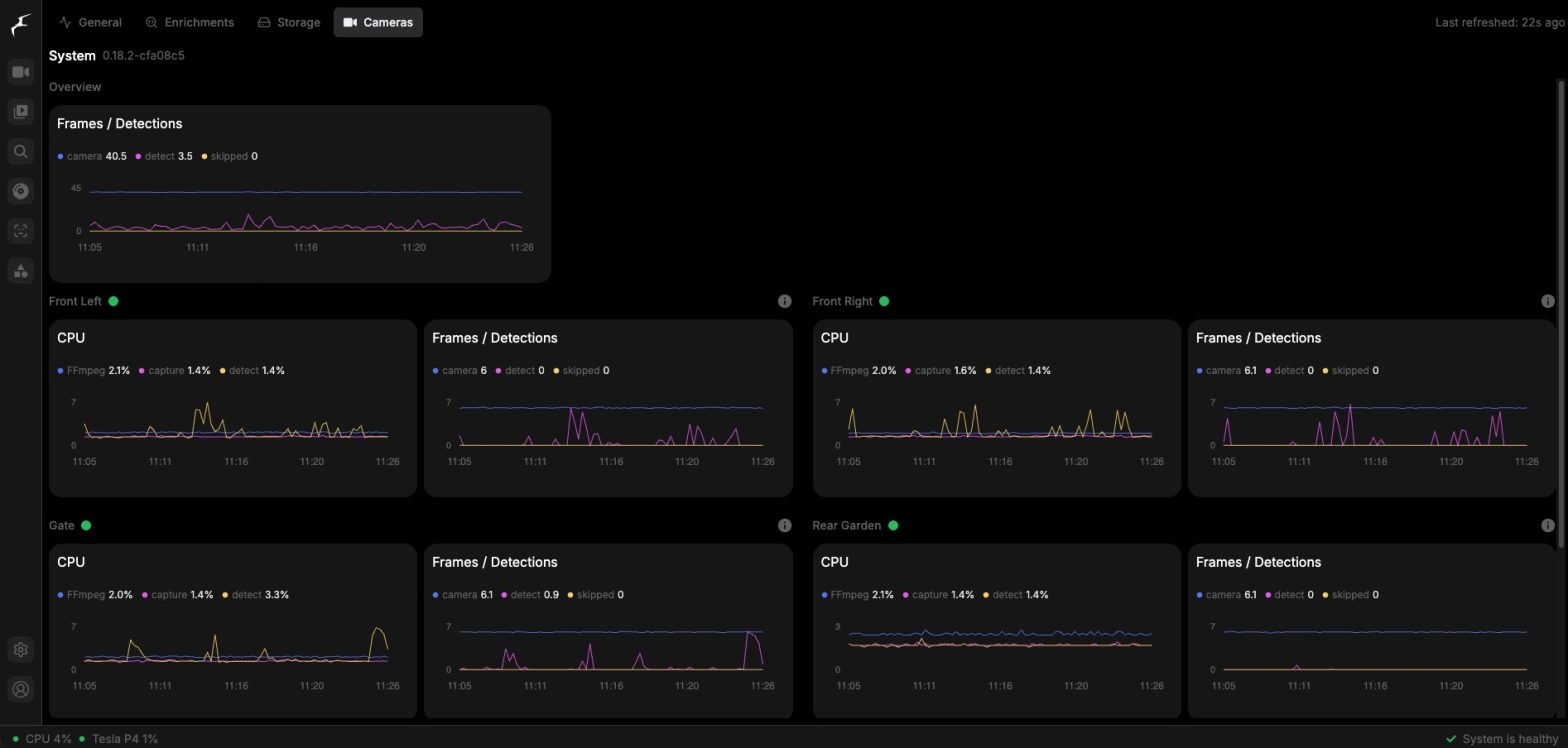
Afterwards, memory settled around 2.6 GiB of 8, pressure stalls went flat, and skipped frames dropped to zero on every camera.
One more trap: you can’t see the limit from inside the container. cat /sys/fs/cgroup/memory.max returns max, because the limit is enforced on a parent cgroup the container can’t see. Read it on the host with cat /sys/fs/cgroup/lxc/101/memory.max. Also, the Proxmox Notes panel written by the community helper script still shows the original 2 GiB. It’s static text and doesn’t track the real config.
5. Streams: the audio loop and the cheapest CPU win
The audio role loop. My Annke cameras only carry audio on the main stream; the substream has none. I’d put the audio role on the substream input. Frigate then spawned an ffmpeg process every ten seconds or so that immediately failed with Output file does not contain any stream. Across three cameras, that churn destabilised the whole NVR.
The fix is to put audio on the main-stream input alongside record. One input can serve both roles.
Substream tuning. Frigate was detecting at 5–6 fps, but the camera substreams were running at 20 fps. Every extra frame still gets decoded, so ffmpeg was doing a lot of work that detection threw away. I set every substream in the camera’s own UI to:
| Setting | Value |
|---|---|
| Resolution | 1280×720, matching detect width and height |
| Frame rate | 6 fps |
| Bitrate | 1024 Kbps, variable |
| Codec | H.265 |
| I-frame interval | 6, which keeps a 1-second keyframe gap for fast stream startup |
Then set global detect.fps: 6 to match. This was the biggest CPU lever available, bigger than adding cores. Keep an eye out for fast-moving objects being missed, because that won’t show up in any metric.
One thing that confused me afterwards: the live dashboard still looked smooth at 20 fps. That’s expected. Live view and Home Assistant cards use the main stream via go2rtc; only detection uses the substream. The System ? Cameras page shows the detect path’s real frame rate.
The Reolink doorbell was its own saga and gets its own post: two-way talk works, but not with the documented config.
6. Pasted YAML fragments and duplicate keys
Forum answers and docs hand you snippets like this:
detect:
  stationary:
    threshold: 180
If your config already has a top-level detect: block and you paste this below it, you now have two. I did exactly that, with cameras:, notifications: and detect: fragments. Frigate refused to start, the container went into a restart loop, and I blamed the settings themselves for a while. I’d reverted perfectly good changes before spotting the real cause.
Two habits that would have saved me hours:
- Merge, don’t append. Every snippet goes inside the block that already exists.
- Know how to recover. A broken config means editing
config/config.ymlfrom the host or LXC shell, because the web UI won’t be up. Keep a copy of the last good config before every change.
A related lesson: change one thing at a time. I once added a person filter and extra tracked labels together, Frigate became unstable, and I reverted both. I still don’t know which one caused it.
7. Upgrades: disk space and the stable tag
Frigate images are 7–8 GB. A pull lands alongside the image you’re already running, and old layers stick around after. On a 20 GB LXC root filesystem, that fills up roughly every second version bump. My 0.18.2 pull ran out of space mid-extract.
This matters more than it sounds. Frigate’s config directory, including its SQLite database, sits on that root filesystem. A full disk risks corrupting the database, even though recordings on separate storage are fine.
My upgrade routine now:
- Back up
config.yml, and with the stack stopped,frigate.db. - Check
df -h /before pulling. You need the image size free. - Edit only the version part of the
image:line, keeping the existing suffix. docker compose pull && docker compose up -d- Once it’s running properly,
docker image prune -a. That reclaimed 7.5 GB for me once.
And one trap: don’t switch to the stable tag as a shortcut while running a newer version. When I checked, stable still pointed at 0.17.x, and the 0.18 database can’t roll back. Betas also ship as GitHub pre-releases, so they don’t appear on the default releases page.
8. Logs in UTC, everything else in local time
Frigate and Docker container logs are in UTC. Proxmox graphs, pct, the task list and host journalctl -k are in host local time. In the UK summer, that’s an hour apart.
So a container log line at 10:51 lines up with 11:51 on the Proxmox graphs. I drew two wrong conclusions in one session about what caused what before I noticed. Normalise the times before you claim anything happened before anything else.
Adding TZ=Europe/London (or your zone) to the Compose environment helps with Frigate’s own maintenance scheduling, but check which clock each log is actually using.
The short version
If you’re running Frigate in Docker inside a Proxmox LXC, check these before you go hunting for anything clever:
- Accelerators passed through with Proxmox
devNentries, not major-number rules - GPU via
runtime: nvidiaand the two environment variables - Only one compose file, and it matches the running container
- At least 8 GiB of RAM for the container if you run embeddings or more than a few cameras
audiorole on the stream that actually carries audio- Substream frame rate matched to
detect.fps - YAML snippets merged into existing blocks, one change at a time
- Free disk space checked before every pull, old images pruned after
- Log timestamps normalised before drawing conclusions
Most of these cost me an evening each. None of them were Frigate’s fault.